Table of Contents
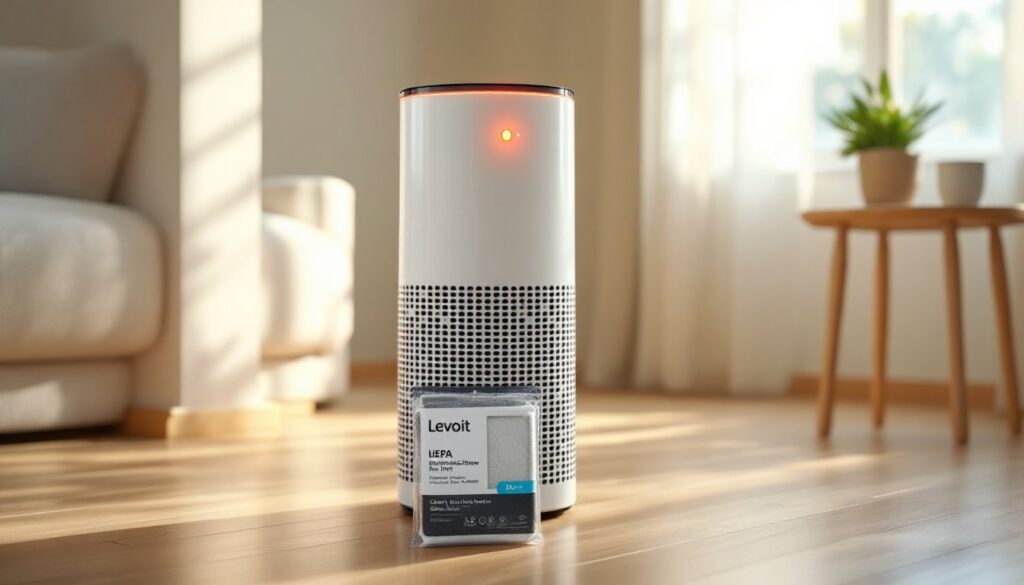
ToggleYou walk into your living room and notice your Levoit air purifier glowing red. No need to panic, this isn’t a malfunction. That red light is your air purifier’s way of communicating a specific issue, usually related to the filter. Understanding why your Levoit air purifier has a red light and knowing how to fix it can save you time, money, and the hassle of dealing with poor air quality. This guide walks through the meaning behind that red indicator, why it appears, and the exact steps to reset it after servicing your unit.
Key Takeaways
- A red light on your Levoit air purifier signals that the filter has reached the end of its effective lifespan and needs replacement, typically after 2,000 hours of cumulative runtime.
- Reset the Levoit air purifier red light by pressing and holding the dedicated filter reset button for 3–5 seconds, or through the VeSync app for smart-enabled models.
- Improper filter installation, such as leaving plastic wrapping on the filter or installing it backward, is a common reason the red light appears immediately after replacing the filter.
- Clean your pre-filter every 2–4 weeks and replace the entire filter every 6–8 months under typical conditions to maintain optimal airflow and air purification performance.
- If the red light persists after proper installation and reset attempts, verify you’re using a genuine Levoit replacement filter, as third-party filters may lack the correct dimensions or RFID tags.
- Never run your Levoit air purifier without a filter, as this exposes internal components to dust and debris, leading to premature failure and warranty void.
What Does the Red Light on Your Levoit Air Purifier Mean?
The red light on a Levoit air purifier serves as a filter replacement indicator. Most Levoit models feature a multi-color light system where each color corresponds to a different status. Blue or green typically means the unit is operating normally, while red signals that the filter has reached the end of its effective lifespan.
When the indicator turns red, the filter’s ability to trap particles like dust, pollen, pet dander, and volatile organic compounds (VOCs) has diminished significantly. Running the purifier with a saturated filter reduces airflow, forces the motor to work harder, and can actually recirculate pollutants back into your space.
Levoit air purifier light meanings are straightforward: the system tracks cumulative runtime rather than monitoring actual filter condition. Based on the manufacturer’s estimated filter life, usually around 2,000 hours for a standard three-stage HEPA filter, the unit calculates when replacement is due. This means the red light appears based on time and usage, not real-time air quality sensors. If you run your purifier 24/7 on high speed, you’ll see that red light sooner than someone who uses it a few hours daily on low.
Some newer models include additional indicators or app notifications, but the red light remains the universal signal across the Levoit lineup that it’s time to service the filter.
Common Reasons Your Levoit Air Purifier Shows a Red Light
Filter Replacement Indicator
The most common reason for a Levoit air purifier filter red light is simple: the filter timer has counted down to zero. This happens after the unit has logged the equivalent runtime hours specified by the manufacturer. Depending on your model, Core 300, Core 400S, Vital 100, or others, the threshold ranges from 1,500 to 2,500 hours.
Factors that accelerate filter saturation include:
- Heavy pet dander or fur in multi-pet households
- High-traffic areas where dust accumulates faster
- Proximity to kitchens where cooking oils and smoke particles circulate
- Wildfire smoke or outdoor air quality events that overload the pre-filter and HEPA layers
- Running on high speed continuously, which processes more air volume and captures more particles
Even if the filter looks clean from the outside, the internal HEPA pleats and activated carbon layer may be clogged with microscopic particles. According to home appliance testing, a saturated HEPA filter can reduce airflow by up to 50%, forcing the fan motor to draw more power and potentially shortening the unit’s overall lifespan.
Filter Installation Issues
Why does my Levoit air purifier have a red light immediately after installing a new filter? Improper installation is a frequent culprit. If the filter isn’t seated correctly, the unit may not recognize the replacement, or it could trigger a safety sensor.
Common installation mistakes include:
- Leaving the plastic wrapper on the new filter, yes, it happens more often than you’d think
- Installing the filter backward so the pre-filter layer faces inward instead of outward
- Not fully securing the rear or bottom panel, which prevents proper airflow detection
- Forgetting to remove the protective packaging from activated carbon layers in some replacement filters
Always check that the arrow or label on the filter aligns with the airflow direction marked inside the unit. The pre-filter (the coarse outer mesh) should face the dirty air intake, and the fine HEPA layer should face the fan and exhaust.
How to Reset the Red Light After Changing Your Filter
Once you’ve installed a fresh filter, you need to manually reset the indicator. Levoit models don’t auto-detect new filters, you’re telling the unit to restart its hour counter.
Follow these steps to reset the filter light on a Levoit air purifier:
- Power on the unit and confirm the new filter is properly installed with the cover securely fastened.
- Locate the filter reset button. On most models (Core 300, Core 400S, Vital 100, LV-H132), this is a dedicated button labeled “Filter Reset” or a circular arrow icon on the control panel.
- Press and hold the reset button for 3–5 seconds. You should hear a beep or see the indicator light change color (usually from red to blue or green).
- Release the button. The red light should turn off, confirming the reset was successful.
For models without a physical reset button (like some older or budget versions), try this alternative method:
- Unplug the unit from the wall outlet.
- Wait 10 seconds.
- Plug it back in and power on.
This can force a system reset, though it’s less reliable than the dedicated button method. If your model includes Wi-Fi or app connectivity, you can also reset the filter timer through the VeSync app, navigate to the device settings and select “Reset Filter Life.”
If the light doesn’t reset after multiple attempts, double-check that the filter is genuine Levoit replacement stock. Third-party filters sometimes lack the correct dimensions or RFID tags (on newer smart models) that the unit uses to verify installation.
When to Replace Your Levoit Air Purifier Filter
Levoit recommends replacing filters every 6–8 months under typical household conditions, but real-world usage varies. If you live in an area with poor outdoor air quality or run the purifier continuously, you might need to swap filters every 3–4 months.
Signs it’s time to replace the filter, even before the red light appears:
- Visible dust buildup on the pre-filter mesh that doesn’t come off with vacuuming
- Reduced airflow from the exhaust vents, even on high speed
- Odors that don’t dissipate, indicating the activated carbon layer is saturated
- Increased noise as the motor strains to pull air through a clogged filter
- Allergy symptoms returning even though regular purifier use
To extend filter life between replacements, clean the pre-filter (the outer mesh layer) every 2–4 weeks. Use a vacuum with a brush attachment or rinse it under lukewarm water (let it dry completely before reinstalling). Some models include a washable pre-filter, while others require you to be gentle with the mesh to avoid tearing.
Pro tip: Mark the installation date on the filter frame with a permanent marker. This helps you track actual usage and compare it to the manufacturer’s timeline. If you notice the filter degrading faster than expected, evaluate your environment, construction dust, remodeling, or a new pet can all accelerate saturation.
Genuine Levoit replacement filters are available directly from the manufacturer or major retailers. Reviews on tech product testing platforms consistently rate OEM filters higher than off-brand alternatives for fit, filtration efficiency, and longevity.
Troubleshooting: Red Light Won’t Turn Off After Filter Replacement
You’ve installed a new filter, pressed the reset button, and the red light is still glowing. Here’s how to troubleshoot a stubborn indicator.
Step 1: Verify the filter is installed correctly
Remove the filter and reinstall it, making sure:
- The directional arrow or label matches the airflow path inside the unit
- The filter clicks or seats fully into place
- The back or bottom panel is completely closed and latched
Step 2: Confirm you’re using a genuine Levoit filter
Third-party or counterfeit filters may not trigger the reset mechanism. Check the packaging for Levoit branding and compare the filter dimensions to the original.
Step 3: Hold the reset button longer
Some units require a full 5–7 seconds of continuous pressure. Don’t tap the button, hold it until you hear a beep or see the light change.
Step 4: Perform a full power cycle
Unplug the unit for at least 30 seconds, then plug it back in and retry the reset procedure.
Step 5: Check for firmware updates (smart models)
If you own a Wi-Fi-enabled model like the Core 400S or 600S, open the VeSync app and check for available firmware updates. Outdated software can cause sensor glitches.
Step 6: Inspect the control panel for damage
If the reset button feels stuck, unresponsive, or the surrounding panel is cracked, you may have a hardware issue. Contact Levoit customer support or consult the warranty (most units carry a 1–2 year limited warranty).
When to call a professional:
If none of these steps resolve the issue and the unit is still under warranty, reach out to Levoit directly. Persistent red lights even though proper filter installation and reset attempts can indicate a failed sensor or control board, both of which are covered under warranty and not DIY-repairable.
Additional guidance on smart home device troubleshooting suggests keeping a log of filter changes and reset attempts. This documentation helps customer service diagnose whether you’re dealing with user error or a defective component.
Safety note: Never bypass or disable the filter indicator by running the purifier without a filter in place. This exposes the internal fan and motor to dust and debris, leading to premature failure and voiding your warranty.